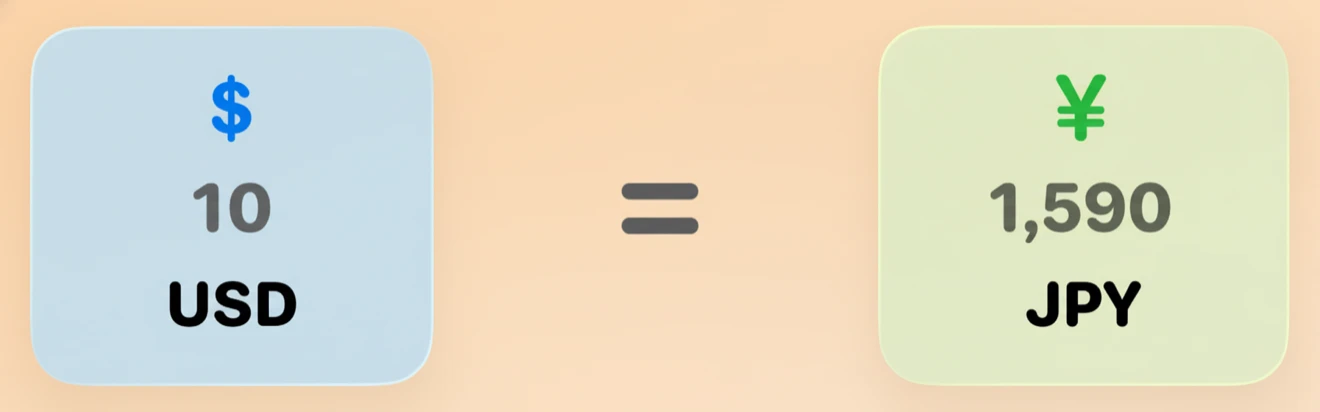
Currency Converter for Travelers
Knowing the local currency and exchange rate is essential when traveling. wayGard includes a built in currency converter so you always know what things cost in your home currency.

Quick Conversion
Convert between currencies instantly. See how much your money is worth in your destination's currency without searching the web.
Home Screen Widget
Pin currency conversion to your iPhone Home Screen. See the exchange rate at a glance throughout your trip.
Country Specific
When you select a destination, wayGard automatically shows the relevant currency with practical information about payments, tipping, and ATM access.
Practical Money Tips
Beyond conversion rates, get tips on card acceptance, tipping customs, and where to exchange currency in each country.
How It Works
- 1 Select your destination country.
- 2 See the local currency with current exchange rates.
- 3 Use the converter to calculate prices in your home currency.
- 4 Add the currency widget to your Home Screen for quick reference.
Explore by Country
 Japan
Japan
 United Kingdom
 Thailand
 Mexico
 Brazil
 India
India
 Australia
 South Korea
 Turkey
Frequently Asked Questions
Does wayGard support all world currencies?
wayGard covers currencies for 195+ countries. The converter supports all major and most minor currencies used around the world.
Does the currency converter work offline?
Exchange rates are cached on your device. The most recent rates are available offline, though live rates require an internet connection.
Does wayGard show tipping information?
Yes. Each country page includes practical money information covering tipping customs, card acceptance, ATM availability, and payment norms.
Can I pin exchange rates to my Home Screen?
Yes. The wayGard currency widget shows live conversion on your iPhone Home Screen.
Get wayGard for iOS
Travel safety info for 195+ countries, available offline.
